Build a GST Reconciliation Agent With n8n (Free Workflow Template)
A free, downloadable n8n workflow that reconciles your purchase register against GSTR-2B and emails a mismatch report.
Build a GST Reconciliation Agent With n8n (Free Workflow Template)
"AI agents" that read a purchase register, check it against GST filing data, and email an accountant a mismatch report have been showing up a lot in automation content lately — usually as a demo built in n8n with a Google Sheet standing in for real documents. It's a good example of where agentic automation is heading. It's also a simplified one: real purchase registers and GSTR-2B exports arrive as PDFs, not pre-cleaned spreadsheet rows, and there's no simple public API that lets an SMB check a vendor's filing status on demand — that access sits behind paid GSP/ASP integrations.
This post gives you a version that starts from the actual documents. It's a free, downloadable n8n workflow that uses AllPDFMagic's n8n community node to do the one genuinely hard part — matching line items across two real PDFs — while n8n handles the scheduling, branching, and notification around it.
Download the template
Download the workflow JSON — import it directly into n8n via Import from File.
What it does
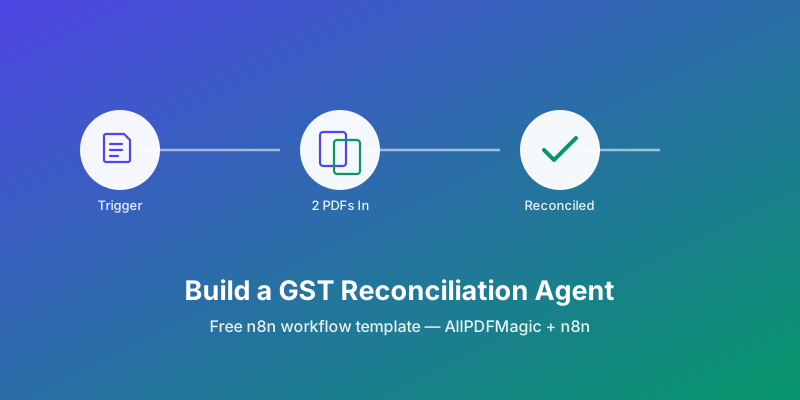
Once a month, the workflow:
- Loads your purchase register and your GSTR-2B export
- Sends both to AllPDFMagic's Reconcile Documents action, which matches line items by GSTIN, invoice number and amount
- Checks whether anything came back unmatched
- If so, emails your accountant a summary — which invoices are booked but missing from GSTR-2B (input tax credit at risk), and which are in GSTR-2B but not booked
| Node | What it does |
|---|---|
| Monthly Schedule | Fires on the 1st of every month at 9am (edit the cron expression for your cadence) |
| Load Purchase Register / Load GSTR-2B Export | Sample file-read nodes — swap for Google Drive, Dropbox, or an email-attachment trigger |
| Rename GSTR-2B Binary Key + Combine Into One Item | Puts both files onto a single item, since Reconcile Documents reads a document set off one item's binary properties |
| Reconcile Documents | The AllPDFMagic node — matches line items, returns matched/unmatched counts and a discrepancy report |
| Any Mismatches? | Branches only when unmatched_items > 0 |
| Notify Accountant | Emails a plain-text summary via Gmail |
Setup
- Install the community node: n8n → Settings → Community Nodes → Install →
n8n-nodes-allpdfmagic. - Get an API key at allpdfmagic.com/dashboard/api — Reconcile Documents requires a Developer plan or above.
- Import the downloaded JSON, then attach your AllPDFMagic credential to the Reconcile Documents node.
- Replace the two sample file-read nodes with wherever your documents actually live. They just need to output the PDF as binary data.
- Attach a Gmail credential to Notify Accountant and set a real recipient.
- Activate the workflow.
What's in the reconciliation report
The Reconcile Documents node returns the same JSON the API does — no fields are invented for the template. The fields the workflow uses:
| Field | Meaning |
|---|---|
matched_items / total_items | How many line items matched across both documents |
unmatched_items | Count of items with no counterpart in the other document |
only_in_document1 | Items in your register with nothing matching in GSTR-2B |
only_in_document2 | Items in GSTR-2B with nothing matching in your register |
report.status | "reconciled" or "needs_review" |
report.summary.discrepancies_found | Matched items where a field (amount, tax) still disagrees |
Extending it
Fraud screening. Add a second AllPDFMagic node set to Detect Document Fraud on a batch of vendor invoices to flag fabricated GSTINs (check-digit failure), duplicate invoice numbers across documents, and duplicate files — before they ever reach the reconciliation step. It's also available as its own action in the n8n node and the Zapier integration.
A written summary instead of raw JSON. Drop an LLM node between Reconcile Documents and Notify Accountant, and prompt it to turn the JSON into plain English. Worth being deliberate here: let the model rewrite the wording, not recompute the numbers. The matching itself — GSTIN, invoice number, amount — is done deterministically by the reconciliation engine before the model ever sees the data, and it should stay that way. An LLM summarizing a real diff is fine; an LLM guessing at a diff is how reconciliation reports quietly become wrong.
Zapier instead of n8n. The same Reconcile Documents and Detect Document Fraud actions are available in the AllPDFMagic Zapier app if your stack is built around Zapier rather than n8n — same matching logic, same API tier requirement.
What this doesn't do
No GST portal login or scraping — filing-status checks at that level require a paid GSP/ASP integration and are out of scope for a workflow template. No confidence scores are fabricated when a document can't be parsed: if a PDF has no extractable line items (a scanned register with no OCR layer, for instance), Reconcile Documents returns an explicit error naming the file rather than a silent empty result. And matching is line-item based, not a full three-way PO match — for that level of detail, see the invoice processing automation guide.
FAQs
Do I need a paid AllPDFMagic plan to use this? Yes — Reconcile Documents and Detect Document Fraud both require a Developer plan or above, since each call processes multiple documents. Everything else in the free tier (single-document extraction, compression, conversion) works without it.
Can this replace my accountant? No, and it isn't trying to. It replaces the manual "open two files and eyeball the differences" step, and hands a specific list of discrepancies to the person who actually resolves them.
What if my purchase register isn't a clean table? Reconciliation quality depends on extractable line items — a text-based PDF with a recognizable table works best. Heavily scanned or photographed documents need OCR first; run them through OCR PDF before feeding them into this workflow.
Does the schedule have to be monthly? No — GSTR-2B itself updates roughly monthly, but you can point the trigger at whatever cadence matches when you actually receive a new export.
Frequently Asked Questions
Yes — Reconcile Documents and Detect Document Fraud both require a Developer plan or above, since each call processes multiple documents. Everything else in the free tier (single-document extraction, compression, conversion) works without it.
No, and it isn't trying to. It replaces the manual "open two files and eyeball the differences" step, and hands a specific list of discrepancies to the person who actually resolves them.
Reconciliation quality depends on extractable line items — a text-based PDF with a recognizable table works best. Heavily scanned or photographed documents need OCR first.
No — GSTR-2B itself updates roughly monthly, but you can point the trigger at whatever cadence matches when you actually receive a new export.