Parse Resumes from PDF to Excel: Bulk CV Data Extraction
HR teams processing 50+ resumes manually waste hours per hire. Learn how AI resume parsers extract candidate data to Excel in bulk.
How to Parse Resumes from PDF to Excel: Bulk CV Data Extraction for HR Teams (2026)
A mid-size recruitment agency processing 200 applications per job posting spends 40+ hours per role on initial resume screening — manually opening PDFs, reading candidate details, copying name/email/skills into a spreadsheet. Multiply that across 10 open roles and you have a full-time job that adds zero value.
AI resume parsers solve this. This guide explains how PDF resume parsing works, what data gets extracted, how bulk processing works, and what to look for in a tool for 2026.
What Is Resume Parsing?
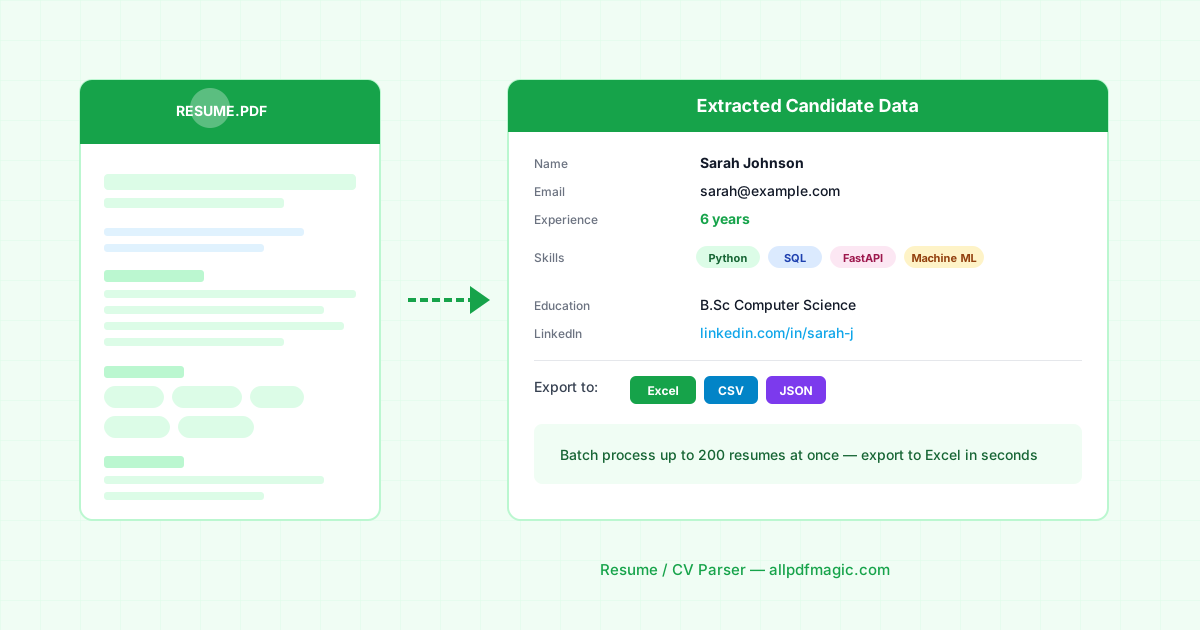
Resume parsing is the automated extraction of structured data from an unstructured PDF resume. Given a CV in PDF format, a parser returns:
| Field | Example |
|---|---|
| Full name | Priya Sharma |
| priya@email.com | |
| Phone | +91 98765 43210 |
| Location | Bengaluru, India |
| Current title | Senior Software Engineer |
| Years of experience | 7 |
| Skills | Python, AWS, React, PostgreSQL |
| Education | B.Tech Computer Science, IIT Delhi |
| Previous employers | Infosys, Flipkart, Razorpay |
| LinkedIn URL | linkedin.com/in/priyasharma |
This data goes into a spreadsheet that you can sort, filter, and rank — instantly.
The Manual Screening Problem
For a role receiving 150 applications:
- Opening each PDF: 30 seconds each = 75 minutes
- Reading and extracting key info: 3–5 minutes each = 7.5–12.5 hours
- Entering into a spreadsheet: 2 minutes each = 5 hours
- Total: 13–18 hours per role
With an AI resume parser:
- Bulk upload 150 PDFs: 2 minutes
- AI extracts all fields: 3–5 minutes total
- Download ranked Excel: 1 click
- Total: Under 10 minutes
That's a 95%+ reduction in screening time.
How Bulk PDF Resume Parsing Works
Step 1: Collect all resumes in one folder Most candidates submit PDF resumes via email or an ATS. Download them all into one folder.
Step 2: Upload in bulk Good resume parsers accept batch uploads — 50 to 500 files at once. AllPDFMagic's upcoming resume parser (coming soon) will handle up to 200 PDFs per batch.
Step 3: AI extracts structured data Natural language processing reads each resume and maps content to structured fields. Importantly, AI parsers handle:
- Different resume formats (chronological, functional, combination)
- Design-heavy templates (two-column, graphic layouts)
- Scanned resumes (via OCR)
- Non-English resumes (Hindi, French, German, Spanish, etc.)
Step 4: Export to Excel or ATS The output is a spreadsheet with one row per candidate. You can then:
- Sort by years of experience
- Filter by required skills (Python, AWS, etc.)
- Export in ATS-compatible CSV format (Greenhouse, Lever, Workday, etc.)
What Makes a Good Resume Parser in 2026?
Accuracy on diverse formats: Indian resumes look different from US resumes, which look different from German CVs. A good parser handles all of these without special configuration.
Skills taxonomy: Raw skill extraction returns "ML", "machine learning", "Machine Learning (ML)" as three separate skills. Good parsers normalize these to a canonical list.
Confidence scores: When the AI is uncertain about a field (common with ambiguously formatted dates or abbreviations), it should flag it for human review rather than guessing.
ATS export formats: The output should be importable into your ATS without manual reformatting. Look for Greenhouse CSV, Lever CSV, and generic ATS formats.
Privacy compliance: Resumes contain PII. Your parser should be GDPR-compliant, process data in memory, and not store candidate information.
Job Description Matching and Ranking
Advanced resume parsers go beyond extraction to scoring. You provide a job description, and the AI scores each candidate 0–100 based on:
- Skills match (required vs nice-to-have)
- Years of experience vs requirement
- Education level match
- Title relevance
This turns 200 unranked PDFs into a ranked shortlist of your top 20 candidates — in minutes.
Use Cases Beyond Hiring
Talent pool building: Parse your entire historical resume database to find passive candidates for new roles.
Skills gap analysis: Aggregate skills data across your workforce to identify training needs.
Competitor intelligence: Parse publicly available LinkedIn profile exports to understand talent market supply.
University recruiting: Process hundreds of campus applications for internship programs.
Current Limitations of AI Resume Parsers
Highly creative formats: Resumes with heavy graphics, charts, and unusual layouts can confuse parsers. Standard text-heavy formats parse better.
Video resumes: PDF parsers only handle text and image PDFs. Video CVs require a different approach.
Interpreted experience: AI can extract "5 years at Google" but can't assess the quality or relevance of that experience — that still requires human judgment.
Bias risk: Automated ranking can amplify biases present in training data. Always use parsed data as a screening tool, not a hiring decision system.
Try Resume Parsing on AllPDFMagic
AllPDFMagic's Resume / CV Parser is live. It offers:
- Upload up to 10 CVs at once, no signup required to try it
- Structured candidate data — skills, work history, education, contact details — as a comparable Excel sheet
- Add a job description and every candidate gets scored against it
- Bulk batch processing on paid plans for larger applicant pools
Try the Resume Parser free — no account needed for a single-batch demo. In the meantime, or alongside it, our other AI document tools cover the rest of the hiring paperwork:
- Invoice Data Extractor — extract invoice data to Excel/QuickBooks
- Contract Analyzer — extract clauses and obligations from any contract
- Document Comparison — find every change between two PDF versions
FAQs
Is the Resume Parser free to use? You can try it without an account for a demo batch. Bulk processing across many applicants at once requires a paid plan, since it's a multi-document AI operation like invoice extraction or reconciliation.
Can it rank candidates without a job description? No — ranking only happens when you provide a job description to score against. Without one, you get structured extraction only (skills, experience, education) with no fabricated "match score," since there's nothing real to score against.
Does it work on non-standard resume formats (graphic-heavy, two-column)? Accuracy is best on standard text-based formats. Heavily designed templates with graphics, icons, or unusual multi-column layouts are more likely to need a manual review of the extracted fields.
Can I export results to my ATS? Yes — output is available as Excel/CSV, which imports into most ATS platforms (Greenhouse, Lever, Workday) that accept CSV candidate imports.
Frequently Asked Questions
You can try it without an account for a demo batch. Bulk processing across many applicants at once requires a paid plan, since it's a multi-document AI operation like invoice extraction or reconciliation.
No — ranking only happens when you provide a job description to score against. Without one, you get structured extraction only (skills, experience, education) with no fabricated "match score," since there's nothing real to score against.
Accuracy is best on standard text-based formats. Heavily designed templates with graphics, icons, or unusual multi-column layouts are more likely to need a manual review of the extracted fields.
Yes — output is available as Excel/CSV, which imports into most ATS platforms (Greenhouse, Lever, Workday) that accept CSV candidate imports.